
Google Business Profile Optimization for Cambodia Businesses. To rank higher on Google Maps and local search in Cambodia, your business needs a fully optimized Google Business Profile (GBP) with accurate NAP, the right categories, localized Khmer + English content, strong photos, and ongoing reviews. When you combine a properly verified profile with consistent information across your website and Cambodian directories, Google gains confidence that your business is real, relevant, and active in your city. For most Cambodian SMEs, a well‑optimized Google Business Profile becomes one of the highest‑ROI assets for driving calls, messages, and walk‑ins.
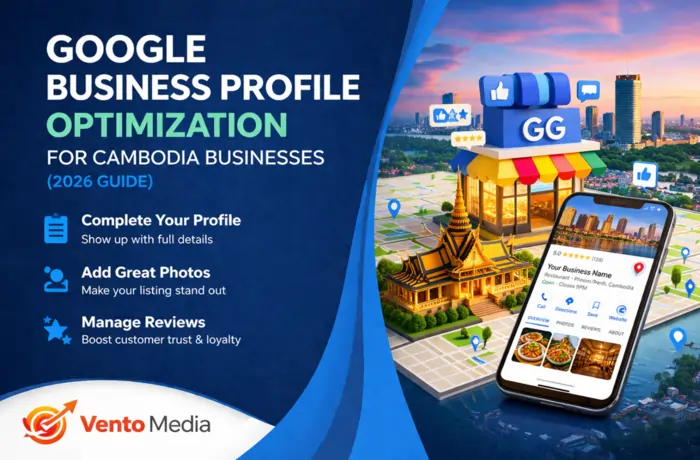
If you already started with my Local SEO in Phnom Penh: A Beginner’s Guide for Business Owners, this guide goes deeper into everything inside your GBP itself. You’ll learn how to set up, optimize, and maintain your profile so you can compete fairly even if bigger brands are in your niche.
What Is Google Business Profile and Why It Matters in Cambodia
Google Business Profile explained
Google Business Profile (GBP) is the free listing that lets your business appear in Google Maps, the local pack, and the right‑side “knowledge panel” on Google Search. It shows your name, address, phone, website, reviews, photos, and more to people searching near you. In Cambodia, where many users search on mobile and rely on Maps to navigate cities like Phnom Penh, Siem Reap, and Sihanoukville, a strong GBP is essential.
Why Cambodian SMEs can’t ignore GBP
For Cambodian businesses, a well‑optimized GBP often brings faster results than traditional SEO alone. Customers can call, send messages, or request directions without even visiting your website. That’s why I treat GBP optimization as a core pillar in all my local frameworks, alongside How to Rank Your Business on Google Maps in Phnom Penh (Step‑by‑Step).
Step 1: Claim and Verify Your Google Business Profile
Find and claim your listing
Before you can optimize, you need control. Search your business name on Google Maps and Google Search. If it appears, click “Own this business?” or “Claim this business” and follow the steps. If you don’t see it, create a new profile and enter your Cambodia address or service area clearly.
Complete verification properly
Google usually verifies via phone, email, video verification, or postcard. Make sure your business information is accurate before you submit, and use a phone/email that you actually monitor. Verification proves to Google that your business is real, and without it, your edits won’t go live or rank properly.
Step 2: Choose the Right Categories (Primary and Secondary)
Select the best primary category
Your primary category tells Google what your business mainly does. This is one of the strongest relevance signals for your profile. Choose the most accurate option available, such as “Restaurant,” “Dental clinic,” “SEO service,” “Hotel,” “Spa,” “Car repair and maintenance” or similar. Avoid picking something just because you think it’s more popular; relevance wins.
Add focused secondary categories
Secondary categories help cover related services without confusing Google. For example:
- A digital agency might use “SEO service”, “Internet marketing service”, and “Advertising agency”.
- A spa might use “Spa”, “Massage spa”, and “Beauty salon”.
Don’t overdo it—too many irrelevant categories can hurt more than help. Clear, tightly matched categories make it easier for you to appear in the right searches.
Step 3: Perfect Your Business Name, Address, and Phone (NAP)
Use a clean, consistent business name
Your business name should match your real‑world branding and legal name, not a keyword‑stuffed version. Avoid adding extra phrases like “best in Phnom Penh” or “cheap services Cambodia” in the name field. Use the same name across your website, Facebook, Telegram, Instagram, and directories to build trust.
Format your address for Cambodia
Your address must reflect your true location in Cambodia. Include clear formatting in English and, optionally, Khmer. For example:
- English: “Street 310, BKK1, Phnom Penh, Cambodia”
- Khmer: “ផ្លូវ ៣១០ ខណ្ឌបឹងកេងកង រាជធានីភ្នំពេញ”
This helps both users and Google understand exactly where you operate.
Standardize your phone number
Use one main phone number with the +855 country code, and keep it identical everywhere. If you use multiple lines (e.g., Smart, Cellcard), choose one primary number for Google Business Profile. Consistent NAP across all platforms is also a key fix I cover in Why Your Phnom Penh Business Is not Showing on Google (Fix This Fast).
Step 4: Write a Localized, Conversion‑Focused Business Description
Tell people who you are and who you serve
Your business description should clearly state what you do, where you’re based, and who you help—without keyword stuffing. Example structure:
- One line about your main service and city
- One line about your target customers (SMEs, tourists, families, etc.)
- One line on what makes you different (experience, language, pricing, speed, specialization)
Use English and Khmer naturally
Include important phrases in both English and Khmer where it makes sense, such as: “SEO services (សេវាកម្ម SEO) in Phnom Penh”, “ភោជនីយដ្ឋាន ក្នុង រាជធានីភ្នំពេញ”, or “clinic in Toul Tom Poung”. Keep everything natural and accurate—don’t just translate your entire description if you can’t verify the Khmer. This bilingual approach supports both local and international audiences and aligns with my broader recommendations in Local SEO in Phnom Penh: A Beginner’s Guide for Business Owners.
Step 5: Set Accurate Opening Hours and Special Hours
Keep your schedule aligned with reality
Set your regular opening hours exactly as you operate in Cambodia. If you’re by appointment only, reflect that clearly and explain it in your description or attributes. Businesses that show open in Maps but are closed in real life risk angry customers and bad reviews.
Add special hours for Cambodian holidays
Use special hours for major Cambodian holidays and events like Khmer New Year, Pchum Ben, and other public holidays when your schedule changes. Updating these in advance reduces confusion and signals to Google that your profile is actively maintained.
Step 6: Add High‑Quality Photos and Keep Them Fresh
Show your business clearly
Photos are often the first thing people see on your profile. Upload:
- Exterior shots from the street so people can recognize your location.
- Interior photos that show the atmosphere and cleanliness.
- Team photos that humanize your brand.
- Product or service images (dishes, rooms, treatments, results) where allowed.
Avoid dark, blurry, or outdated images. Good photos are one of the fastest ways to increase clicks and calls.
Reflect local Cambodian context
Include visuals that feel authentically Cambodian—local streets, Khmer signage, local culture and daily life. This helps users trust that you genuinely operate where you say you do, and it supports your wider local SEO in Phnom Penh and other Cambodian cities.
Step 7: Use Google Posts to Share Offers and Updates
Types of posts to create
Google Posts (Google Business Profile posts) are great for keeping your profile fresh and engaging. Use them to:
- Highlight promotions, discounts, and packages.
- Announce events, workshops, or seminars.
- Promote new services or menu items.
- Share holiday updates or temporary closures.
Posting frequency that works
You don’t need to post daily. For most Cambodian SMEs, posting weekly or bi‑weekly is enough to signal ongoing activity. Combine these posts with the broader content strategies discussed in Top Local SEO Strategies for Phnom Penh SMEs.
Step 8: Ask for Reviews Strategically and Ethically
Make review collection part of your process
Reviews are one of the strongest signals for both ranking and trust. Build them by:
- Asking happy customers for a Google review right after a good experience.
- Using QR codes in your shop or clinic that open your review page.
- Sending follow‑up messages via Messenger, Telegram, or email with a direct review link.
Never offer direct cash or gifts in exchange for reviews; that violates Google’s policies and can cause problems later.
Encourage helpful, specific feedback
Politely encourage customers to mention:
- The service they used.
- The city or area (e.g., “great spa in Phnom Penh,” “best dentist in BKK1”).
- What they liked most.
Detailed reviews help other users decide and give Google more context about your profile.
Step 9: Respond to All Reviews (Positive and Negative)
Turn reviews into social proof
Responding to reviews shows that you care. For positive reviews:
- Thank the customer by name if possible.
- Mention something specific they said.
- Reinforce your strengths (“We’re happy you liked our quick check‑in process”).
Handle negative reviews professionally
For negative reviews:
- Stay calm and polite.
- Acknowledge the issue and, if appropriate, apologize.
- Offer to resolve the problem and invite them to continue the conversation privately (phone, Telegram, email).
Google and prospective customers pay attention to how you handle criticism. A well‑managed negative review can still help your brand.
Step 10: Use English and Khmer Where It Makes Sense
Match the language of your customers
Cambodia is multilingual, so use both English and Khmer strategically in:
- Your business description.
- Posts and updates.
- Q&A section on your profile.
- Photo captions or context where possible.
If most of your customers are Khmer‑speaking locals, prioritize clear Khmer messaging. If you also serve expats and tourists, keep English strong but still show local language competency.
Step 11: Add and Optimize Services, Products, and Attributes
Detail your services and products
Use the Services or Products sections in GBP to list what you offer. For each service, include:
- A clear service name (with location or audience if needed).
- A short description of what’s included.
- A price or “From $…” where relevant.
This helps you rank for service‑level queries like “teeth whitening Phnom Penh” or “wedding photography in Siem Reap.”
Configure attributes correctly
Attributes like “Wheelchair accessible,” “Wi‑Fi,” “Good for children,” “Delivery,” “Takeaway,” “On‑site service,” or “Online appointments” tell customers what to expect and can influence filters in Maps. Only add attributes that genuinely apply to your business in Cambodia.
Step 12: Connect Your Website and Keep NAP Consistent
Link to the right page
Make sure your website link in GBP points to the best page for local users—often your home page or a location‑specific landing page. Check that it loads correctly on mobile. If you have multiple locations, link each profile to the corresponding location page.
Maintain NAP consistency across the web
Align your Google Business Profile data with:
- Your website contact details.
- Facebook and Telegram.
- Local directories and booking platforms.
This NAP consistency supports both Google Maps rankings and broader local SEO, as explained in Local SEO in Phnom Penh: A Beginner’s Guide for Business Owners.
Step 13: Use UTM Parameters to Track Google Maps Traffic
Tag your GBP link properly
Add UTM parameters to your website URL in GBP so you can see exactly how much traffic comes from Maps. For example:?utm_source=google&utm_medium=maps&utm_campaign=local_seo_cambodia
Measure real leads and conversions
In your analytics, track:
- Visits from your Maps campaign.
- Contact form submissions, calls, bookings, or chats that originate from Maps.
- Revenue or leads per month tied to GBP.
This data helps you justify local SEO investment and refine your strategy over time. I go deeper into tracking in my How to Rank Your Business on Google Maps in Phnom Penh (Step‑by‑Step) guide.
Step 14: Monitor for Issues and Suspensions
Watch for sudden drops or warnings
Keep an eye on your GBP performance and notifications. If you see a sudden drop in views, calls, or directions, or receive a warning, check for:
- Guideline violations (virtual office, misleading name, wrong categories).
- Major changes you recently made.
- Duplicate or conflicting listings.
What to do if you’re suspended
If your Google Business Profile is suspended, review Google’s guidelines, fix any issues, and prepare documents that prove your business is real (licenses, lease, utility bills, photos of your signage and interior). Then submit an appeal with clear explanations. For more context and prevention tips, use my checklist in Why Your Phnom Penh Business Is not Showing on Google (Fix This Fast).
Step 15: Keep Your Profile Active and Consistent
Treat GBP as an ongoing asset
Optimizing your profile is not a one‑time task. Build habits:
- Update hours, services, and photos whenever things change.
- Post offers and updates regularly.
- Keep requesting and responding to reviews.
- Check your insights monthly.
Integrate GBP into your broader local SEO
Your Google Business Profile works best when it’s part of a clustered local SEO strategy:
- Strong website optimized for local keywords.
- A fully built‑out GBP as described here.
- Smart internal linking between your key guides like:
The more consistent, helpful, and locally focused your ecosystem is, the more Google trusts your business in Cambodia.
FAQs: Google Business Profile Optimization for Cambodia Businesses
1. Do I need a Google Business Profile if I already have a website?
Yes. In Cambodia, many customers discover businesses directly through Google Maps and the local pack. Your website and GBP work together—your site builds authority, and your profile captures local intent searches and makes it easy for people to contact you.
2. How long does it take for profile changes to show up?
Most changes to your GBP (hours, photos, description) appear within minutes to a few hours. Larger changes, like address updates or major category changes, can take longer and sometimes require additional verification.
3. Can I list my business if I don’t have a physical shop?
Yes, if you operate as a service‑area business. You can hide your exact address and specify the areas you serve (for example, Phnom Penh, Ta Khmau, or specific districts). Just make sure you follow Google’s guidelines and don’t use a fake or purely virtual address.
4. How many photos should I upload to my profile?
There’s no fixed limit, but aim for at least 10–20 high‑quality photos to start, then add new ones regularly. More relevant, up‑to‑date photos typically lead to higher engagement than a profile with only one or two old images.
5. How important are reviews for my Google Business Profile?
Reviews are crucial for both ranking and conversion. Profiles with more genuine, detailed reviews tend to get more clicks, calls, and visits. Focus on a steady flow of new reviews each month, and always respond to show you value customer feedback.
6. Can I edit my business name to add keywords?
You should not add unnecessary keywords to your business name. Google expects your GBP name to match your real‑world branding. Adding extra phrases like “best in Phnom Penh” can lead to edits or even penalties if reported.
7. What’s the difference between primary and secondary categories?
Your primary category describes your main business type and carries more weight in rankings. Secondary categories let you cover related services. Choose one precise primary category and only a few highly relevant secondary ones.
8. Should I post in Khmer, English, or both on my profile?
For Cambodian businesses, both is usually best. Use Khmer when targeting local customers directly, and English for expats, tourists, and international clients. The key is clarity and accuracy, not forcing keywords into every sentence.
9. How often should I post on my Google Business Profile?
For most SMEs, posting once a week or every two weeks is enough to stay active. Focus on quality updates—real offers, events, or helpful tips—rather than posting low‑value content just to fill space.
10. What should I do if someone leaves a fake or unfair review?
Respond politely, explain your side if appropriate, and invite the person to contact you privately. If the review clearly violates Google’s policies (hate speech, spam, irrelevant content), you can flag it for review. However, don’t engage in public arguments.
11. Can multiple branches of my business have their own profiles?
Yes. Each branch or physical location in Cambodia should have its own properly verified GBP with accurate address and NAP. Make sure each profile links to the correct location page on your website and uses location‑specific details.
12. How do I track how many customers come from Google Maps?
Use UTM parameters on your GBP website link and check your analytics for traffic tagged as Maps. Combine this with GBP insights (calls, direction requests, website visits) to estimate how many leads and customers come from your profile.
13. Will updating my address hurt my rankings?
Changing your address can temporarily affect your rankings because distance is a key factor. Update your address everywhere, re‑verify if needed, and be patient while Google recalculates your relevance around the new location. Keeping strong reviews and activity helps stabilize things faster.
14. Is it okay to use a coworking or virtual office address?
Using a coworking or virtual office can be risky if you don’t actually operate from there in a way that aligns with Google’s guidelines. If flagged as ineligible, your profile could be suspended. When possible, use a real location or service‑area setup that reflects how you truly serve customers.
15. How does GBP optimization fit into my overall local SEO?
GBP optimization is one pillar of a complete local SEO strategy. To get the best results, combine it with an optimized website, consistent citations, local content, and smart internal linking across your key guides:
