
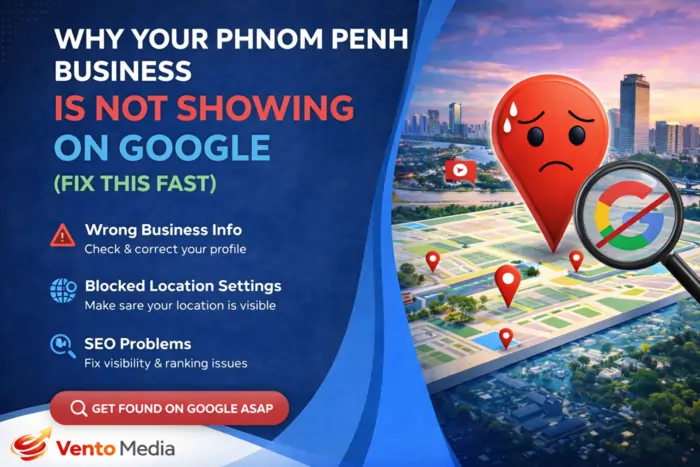
Why Your Phnom Penh Business Is not Showing on Google? If your Phnom Penh business is not showing on Google Search or Google Maps, the problem usually comes down to a few fixable issues: missing or unverified Google Business Profile, inconsistent NAP details, weak relevance (wrong keywords or categories), low prominence(few reviews, citations, or backlinks), or guideline violations like virtual addresses. When you systematically check and correct these areas, most visibility problems start to improve within weeks. This guide walks you through fast, practical checks so you can find the real cause and fix it—without guessing.
If you haven’t done so yet, first set up your foundations using my Local SEO in Phnom Penh: A Beginner’s Guide for Business Owners and How to Rank Your Business on Google Maps in Phnom Penh (Step-by-Step). Then come back to this troubleshooting guide whenever your business “disappears,” drops, or never shows up in the first place.
Step 1: Confirm How and Where You’re Searching
Check your search terms and location
Before assuming something is broken, make sure you’re searching the way real customers do:
- Try service + city (e.g., “dentist Phnom Penh,” “cafe BKK1”) instead of your exact brand name.
- Test on mobile and desktop, and turn on location on your device.
- Try searching from different locations in Phnom Penh or using “near me.”
If you only search for your business name from one device and location, you may get personalized results that don’t represent what other people see.
Use an incognito or private browser
Search in incognito/private mode to avoid personalization from your history. If you see your competitors but not your business for the terms you want, you likely have an actual visibility problem that needs fixing.
Step 2: Check If Your Google Business Profile Exists and Is Verified
Make sure you have a profile at all
Search for your business name directly in Google Maps. If nothing appears, you may not have a Google Business Profile (GBP), or it may not be live yet. In that case:
- Create a new GBP and enter your Phnom Penh address or service area.
- Fill out the required fields and request verification.
Confirm your profile is verified and active
If a profile exists but you see a notice like “Verification required” or “Suspended,” your edits won’t show to the public and your ranking will likely be very weak or zero. Complete verification (phone, email, video, or postcard) and resolve any suspension issues before expecting visibility.
For a full walkthrough of proper setup and optimization, follow my Google Business Profile Optimization for Cambodia Businesses (2026 Guide).
Step 3: Fix Wrong or Incomplete NAP Information
Align your name, address, and phone
Incorrect or incomplete NAP (Name, Address, Phone) is one of the most common reasons Phnom Penh businesses don’t show properly. Double-check that:
- Your business name matches your real branding (no keyword stuffing).
- Your address is a real, accurate Phnom Penh address written clearly.
- Your phone number includes +855 and is the same everywhere.
Match NAP across the web
Make sure the same NAP appears on your:
- Website (footer and contact page).
- Google Business Profile and Google Maps.
- Facebook, Telegram, Instagram, and local directories.
Inconsistent NAP makes Google uncertain about your business, which can push you down or out of results. If your basics aren’t solid, revisit the fundamentals in Local SEO in Phnom Penh: A Beginner’s Guide for Business Owners.
Step 4: Check Your Categories and Relevance
Verify your primary category
Your primary category in GBP is a huge relevance signal. If it’s wrong or too broad, you may not appear for the right searches. Make sure it accurately describes your main service, such as:
- “Restaurant,” “Dental clinic,” “SEO service,” “Spa,” “Hotel,” “Car repair and maintenance,” etc.
Clean up your secondary categories
Add only relevant secondary categories that match your real services. Too many or unrelated categories can confuse Google. For example:
- A digital agency: “SEO service,” “Internet marketing service,” “Advertising agency.”
- A clinic: “Medical clinic,” “Dental clinic,” “Physiotherapy clinic” (if all are real).
If you’ve chosen categories just to chase popular keywords that don’t match what you do, fix that first.
Step 5: Make Sure Your Address Type Follows Google Guidelines
Physical location vs service-area business
If you use a virtual office, PO box, or an address where customers cannot actually visit, your profile can be limited or suspended. Google prefers:
- Physical locations where customers can walk in at your stated hours, or
- Service-area businesses (SAB) that serve customers at their location (e.g., plumbers, cleaners).
If you’re an SAB, hide your exact address and specify the areas you serve instead of using a fake office address.
Fix risky address setups
If you’re using a coworking or virtual office you don’t truly operate from, updating your address to a compliant one is often necessary to restore or improve visibility. I go deeper into address risks and safer alternatives in the GBP guide: Google Business Profile Optimization for Cambodia Businesses (2026 Guide).
Step 6: Look for Suspensions, Policy Violations, or Edits
Check for suspension or limited visibility
Open your GBP dashboard and look for warnings or notices such as:
- “Disabled” or “Suspended”
- “Under review” or “Verification needed”
A suspended or disabled profile will not show normally on Google, no matter how good your content is.
Fix guideline violations
Common issues for Phnom Penh businesses include:
- Misleading business names (extra keywords or city names).
- Fake or shared addresses.
- Multiple profiles for the same location without a valid reason.
- Prohibited businesses or services.
Correct the violations, gather proof that your business is legitimate (photos, documents, licenses), and submit an appeal if necessary.
Step 7: Evaluate Your Website’s Local Signals
Check if your website supports your local presence
Google uses your website to confirm that you really operate where you claim. Make sure your site:
- Clearly mentions Phnom Penh (and specific neighborhoods where relevant).
- Displays your NAP consistently on the contact page and footer.
- Includes pages for your main services and locations.
Fix obvious on‑page SEO gaps
If your site has almost no mention of your service + location (e.g., “SEO services in Phnom Penh,” “clinic in Toul Tom Poung”), Google has little reason to associate you with local searches. Use the on‑page tactics from Local SEO in Phnom Penh: A Beginner’s Guide for Business Owners to strengthen your local relevance.
Step 8: Check Your Reviews and Prominence
See how many reviews you have vs competitors
Search for your main keywords (e.g., “cafe BKK1,” “dental clinic Phnom Penh”) and check:
- How many Google reviews your competitors have.
- Their ratings and how recent their reviews are.
If you have 0–3 reviews while top competitors have dozens, you’re at a disadvantage.
Build a consistent review strategy
Encourage happy customers to leave honest, detailed reviews that mention:
- The service they used.
- Your location (e.g., “in Phnom Penh,” “in BKK1,” “near Russian Market”).
Use QR codes, Messenger, and Telegram links to make leaving a review simple. Over time, a steady flow of reviews boosts both ranking and trust. This is a cornerstone tactic in How to Rank Your Business on Google Maps in Phnom Penh (Step-by-Step).
Step 9: Audit Your Citations and External Listings
Look for missing or messy citations
Search your business name + phone on Google and see what comes up. Check:
- Cambodian directories and listing sites.
- Social profiles (Facebook, Telegram, Instagram).
- Industry‑specific platforms (delivery apps, booking sites, marketplaces).
If your name, address, or phone differ in multiple places, Google can get confused about your real details.
Clean and standardize your listings
Pick one canonical NAP format and update all major listings to match it. This work can feel tedious, but it’s often the missing piece when a business has “done everything” and still isn’t visible. It also supports all the strategies in Top Local SEO Strategies for Phnom Penh SMEs.
Step 10: Review Your Content for Local Relevance
Check if your content matches Phnom Penh search intent
If your website content is generic or global (e.g., “digital marketing tips” with no local context), you’ll struggle to rank locally. Review your main pages and ask:
- Do you mention Phnom Penh and relevant neighborhoods?
- Do you answer questions local customers actually have?
- Do you show examples or case studies from Phnom Penh?
Add or improve local landing pages
Create service + location pages and FAQs that match how people search in Cambodia, including Khmer keywords where appropriate. This is one of the highest‑ROI local SEO strategies for SMEs; I break it down in Top Local SEO Strategies for Phnom Penh SMEs.
Step 11: Check Technical Issues That Block Indexing
Confirm your site is indexed
Search site:yourdomain.com in Google. If almost nothing appears:
- Your site might be too new.
- There may be noindex tags or blocked pages.
- Technical issues may be preventing crawling.
Fix crawl and index blockers
Work with your developer or SEO to remove noindex from important pages, fix redirect loops, and ensure your site can be crawled easily. Without indexing, you won’t show up in organic results at all, regardless of your local optimization.
Step 12: Look for Duplicate or Competing Listings
Check for duplicate profiles
Search for your business name and address in Maps and see if there are multiple listings. Duplicates can:
- Split your reviews.
- Confuse Google about which profile to show.
- Trigger guideline issues.
Merge or remove duplicates
Keep the most complete, accurate profile and work to remove or merge the others following Google’s processes. If you’ve rebranded or moved, make sure old listings are updated or closed properly.
Step 13: Analyze Your Competition Honestly
See who is actually ranking
Look at the top results for your key searches. Ask yourself:
- Do they have more reviews than you?
- Are their photos, content, and categories better aligned?
- Do they have stronger websites, backlinks, and local signals?
Sometimes your business is not showing simply because the competition is significantly stronger in all the core local SEO signals.
Set realistic expectations and priorities
If you’re in a very competitive niche (clinics, cafes, salons in central Phnom Penh), you may need to invest more time and resources to catch up. Use the strategy playbook from Top Local SEO Strategies for Phnom Penh SMEs to prioritize actions that move the needle fastest.
Step 14: Track Maps and Local Traffic Properly
Add UTM parameters to your GBP link
To know whether changes are working, add UTM parameters to your website link in GBP, for example:?utm_source=google&utm_medium=maps&utm_campaign=local_seo_phnom_penh
Monitor the right data
In your analytics and GBP insights, monitor:
- Traffic from Maps vs general search.
- Calls, direction requests, and website clicks from your profile.
- Changes in local rankings for your main terms.
If these signals are improving over a few weeks, your fixes are working—even if you haven’t reached the top yet. For a fuller framework, use the tracking section in How to Rank Your Business on Google Maps in Phnom Penh (Step-by-Step).
Step 15: Build a Simple Fix-and-Grow Routine
Follow a monthly troubleshooting checklist
To prevent disappearing again, create a simple routine:
- Once a month, check your GBP for warnings and update hours, photos, and posts.
- Review your NAP in key directories and fix any new inconsistencies.
- Monitor your reviews and ask for new ones regularly.
- Look at your analytics and GBP insights for trends.
Use the full Phnom Penh local SEO cluster
For best results, treat this troubleshooting guide as part of a complete Phnom Penh local SEO system:
- Foundations: Local SEO in Phnom Penh: A Beginner’s Guide for Business Owners
- Maps focus: How to Rank Your Business on Google Maps in Phnom Penh (Step-by-Step)
- GBP deep dive: Google Business Profile Optimization for Cambodia Businesses (2026 Guide)
- Strategy: Top Local SEO Strategies for Phnom Penh SMEs
- Troubleshooting: this “Why you’re not showing” guide.
Together, they give you both the system and the fixes you need to stay visible long‑term.
FAQs: Why Your Phnom Penh Business Is Not Showing on Google
1. Why can’t I find my business on Google Maps at all?
Most likely, your Google Business Profile doesn’t exist, isn’t verified, or is suspended. Start by searching your business in Maps, claiming or creating your profile, and completing verification.
2. Why do my competitors show but I don’t?
Competitors may have stronger NAP consistency, better categories, more reviews, stronger websites, or longer history. Fix your basics first, then focus on reviews, content, and backlinks to close the gap.
3. Why did my business disappear after changing my address or name?
Major changes like moving or rebranding can temporarily affect rankings while Google recalculates your relevance and trust. Make sure your new NAP is consistent everywhere and give it some time to stabilize.
4. Can using a virtual office cause my business not to show?
Yes. Google may limit or suspend profiles that use virtual offices or ineligible addresses. If you’re not actually operating there, switch to a real location or a proper service‑area setup.
5. Why don’t I appear for “near me” searches?
If your categories, address, or service area are wrong—or if your prominence is weak (few reviews, weak citations)—you may not appear for “near me” even if you’re close. Fix relevance, distance accuracy, and prominence together.
6. How long after fixing issues will my business start showing?
Simple fixes (like NAP, categories, or description updates) can have an impact within a few days to a few weeks. Bigger issues (suspensions, address changes, new profiles) may take several weeks or months to fully stabilize.
7. Can I rank without a website?
You can appear on Google Maps with just a GBP, but having a well‑optimized website greatly improves your chances. It strengthens your prominence and helps Google trust your business details.
8. Why am I only visible when I zoom in very close on Maps?
This often means you have weak prominence compared to competitors. You exist in Google’s system, but others are favored for broader zoom levels. Focus on reviews, citations, and local backlinks to strengthen your profile.
9. Can too many edits to my profile hurt my visibility?
Constant unnecessary changes can trigger additional checks or cause instability. Make only accurate, necessary edits, and avoid frequently changing your name, category, or address without a real reason.
10. Does posting on my Google Business Profile help me show up?
Posts alone won’t fix major issues, but regular posts combined with strong NAP, reviews, and categories can support your overall activity signals and help you stay competitive.
11. Why do I show for my brand name but not for services?
Ranking for your brand name is easier than ranking for service keywords. If you only appear for your brand, you likely need better content, categories, and local optimization to compete for generic service searches.
12. Can negative reviews make my business disappear?
A few negative reviews won’t make you vanish, but consistently poor ratings and unresolved complaints can reduce trust and clicks, which hurts performance. Focus on genuine service improvements and thoughtful responses.
13. How do I know if I’ve been penalized?
Look for sharp, unexplained drops in GBP views and traffic, or suspension notices. If you suspect a penalty, review guidelines, remove risky elements, and consider submitting a clear, honest appeal.
14. Is it enough to fix only my Google Business Profile?
Fixing GBP is crucial, but website quality, citations, and backlinks also matter. For sustainable visibility, you need a complete local SEO strategy, not just a single profile.
15. When should I ask for professional help?
If you’ve checked and fixed the basics but still see no improvement after a few months—or if you’re dealing with suspensions and complex technical issues—it’s worth working with a specialist who understands Cambodia and local SEO.
About the Author
Author: Jin Grey
Position: Co‑Founder & SEO Strategist, Vento Media Digital
With 18 years of hands‑on SEO experience, I help Phnom Penh businesses quickly diagnose why they’re not showing on Google and turn that into a clear, step‑by‑step recovery plan. My work combines Cambodia‑specific local SEO, semantic SEO, and AI‑assisted optimization, built into a connected set of guides: Local SEO in Phnom Penh: A Beginner’s Guide for Business Owners, How to Rank Your Business on Google Maps in Phnom Penh (Step-by-Step), Google Business Profile Optimization for Cambodia Businesses (2026 Guide), Top Local SEO Strategies for Phnom Penh SMEs, and this troubleshooting guide, Why Your Phnom Penh Business Is not Showing on Google (Fix This Fast).
Website: https://jingrey.com
Email: ceo@jingrey.com, jeaniusseo@gmail.com
Facebook: https://www.facebook.com/profile.php?id=1037929854
LinkedIn: https://www.linkedin.com/in/jeandiazpalabrica/
Medium: https://jin-grey-seo.medium.com
This guide is produced by Vento Media Digital, the team behind VentoRich, helping Phnom Penh businesses turn Google Maps visibility and local SEO (SEO ក្នុង រាជធានីភ្នំពេញ) into real, measurable growth—even when you feel invisible today.
