
Grok multi-agent workflows Key Takeaways
In simple terms, a Grok multi-agent workflow is a system where multiple AI agents work together on a shared goal.
What Are Grok Multi-Agent Workflows and Why Should You Care?
I remember the first time I tried to automate a repetitive task with an AI assistant. I typed the same prompt every morning, tweaked the same instructions, and reloaded the same tools. It felt like I was the one being trained, not the AI. Then I discovered Grok 4.3 multi-agent workflows – and everything changed. For a related guide, see Why is everyone switching to Grok for real-time X/Twitter intelligence in 2026?.
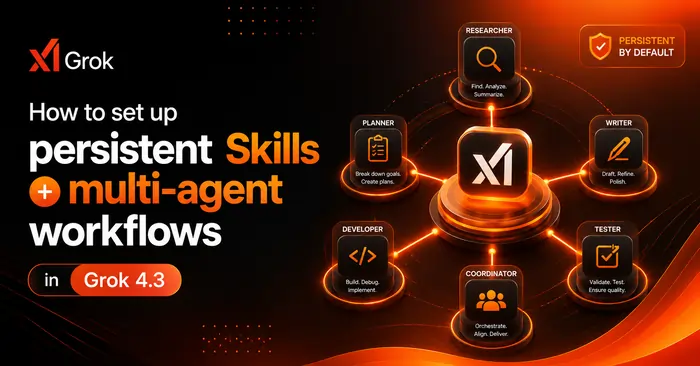
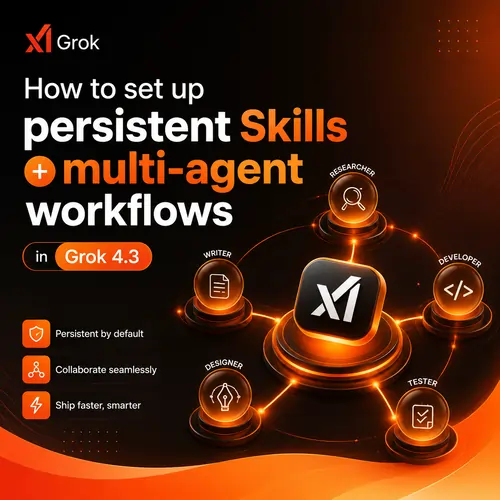
In simple terms, a Grok multi-agent workflow is a system where multiple AI agents work together on a shared goal. One agent might research a topic, another writes a draft, a third checks facts, and a fourth formats the output. Each agent has its own Grok persistent Skills – a set of instructions and tools it always remembers.
For developers and teams building AI agents for teams, this means you can finally stop repeating yourself. You define a Skill once, give it a name, and call it anytime. No more pasting long context windows. No more rebuilding the same logic from scratch.
Why Persistent Skills Matter for Everyday Automation
Think of Grok persistent Skills as your AI’s muscle memory. When you set up a Skill to “Summarize customer feedback and flag urgent issues,” that Skill stays. It learns from your tweaks. It remembers the tools you connected. It becomes a reliable teammate that doesn’t quit.
In my own work at VentoRich, I use persistent Skills to handle daily SEO audits. One agent scans for broken links, another checks keyword rankings, and a third generates a report. All of them run inside a single Grok 4.3 automation workflow. I kick it off in the morning, grab coffee, and come back to a dashboard that’s ready to act on.
How to Set Up Grok 4.3 Skills Setup: A Step-by-Step Guide
Setting up your first Skill is straightforward. You don’t need to be a software architect – I’ve seen no-code builders pick it up in minutes. Let me walk you through the process I use personally.
Step 1: Open the Skills Panel
In the Grok 4.3 interface, find the “Skills” tab on the left sidebar. Click it and then choose “Create a new Skill.” Grok will ask you for a name and a description. Keep the description clear – something like “Research competitor blog topics and extract key phrases.” This helps you remember the Skill’s purpose later.
Step 2: Write Your Prompt and Instructions
This is the heart of your Grok Skills configuration. Write a detailed prompt that tells the agent exactly how to behave. I usually include:
- The goal of the agent
- The format of the output (bullet points, markdown, JSON)
- Any constraints (word count, tone, specific sources)
- Fallback instructions if the agent gets stuck
For example, a Skill for drafting social posts might say: “Write five LinkedIn post ideas about AI automation. Each post should be under 150 words, include a hook, and end with a question.”
Step 3: Connect External Tools
Grok external tool integration makes your Skills powerful. In the same setup screen, you can link to APIs, databases, or apps. I often connect Google Sheets to pull in raw data, then let the agent process it. You can also link to Slack, Notion, or custom webhooks. For a related guide, see How to use Grok Build 0.1 CLI to ship full web apps in minutes (step-by-step)..
To connect an API, paste the endpoint URL and authentication key. Grok handles the rest. If you’re a low-code AI agents builder, you’ll love the drag-and-drop connector that maps fields without writing code.
Step 4: Test and Refine
Before you unleash your Skill on real tasks, test it with a sample input. Grok shows you the output and the reasoning steps. If something looks off, tweak the instructions. I usually run three or four tests until the behavior feels consistent. This is also where you can add how to use persistent Skills in Grok tips like setting confidence thresholds or fallback responses.
Step 5: Assign to an Agent and Activate
Once you’re happy, assign the Skill to one or more agents. You can create a whole Grok AI team workflows by giving different agents different Skills. One agent handles research, another handles writing, a third handles data validation. Then you trigger the workflow with a single command.
Real-World Grok Automation Examples You Can Steal
I don’t want to leave you with theory only. Here are three real examples I’ve built for myself and clients.
Example 1: Daily Market Intelligence Brief
Every morning, a Grok AI agent with a persistent Skill named “Market Scan” pulls headlines from three industry news APIs, summarizes each, and drops the results into a Slack channel. Another agent, “Competitor Watch,” analyzes those summaries for mentions of competitor products. Both agents run inside the same Grok 4.3 multi-agent workflows chain. The whole thing takes less than two minutes.
Example 2: Customer Support Triage
A support team I work with set up a Skill that reads incoming tickets, categorizes them (billing, technical, feature request), and assigns a priority score. Then a second agent drafts a preliminary response. The human agent reviews and sends it. This cut their response time by 40%.
Example 3: Automated SEO Content Pipeline
At VentoRich, I use a Grok 4.3 automation workflow to produce draft articles. One agent researches keywords using Grok API integrations with Ahrefs, another writes the first draft, a third checks for SEO entities and readability, and a fourth formats it for WordPress. I review and publish. I went from one article per week to three.
How Grok Agentic Workflows Compare with ChatGPT, Gemini, Claude, Perplexity, and Copilot
I get asked this a lot: “How does Grok multi-agent workflows stack up against the big players?” Here’s my honest take after testing all of them.
| Platform | Multi-Agent Support | Persistent Skills | External Tool Integration | Best For |
|---|---|---|---|---|
| Grok 4.3 | Yes – native | Yes – permanent | No-code + API | Team automation, persistent workflows |
| ChatGPT (GPT-4o) | Limited to custom GPTs | Yes but per session | Plugin-based | Quick tasks, content generation |
| Gemini | No native multi-agent | No persistent Skills | Basic file upload | Research, summarization |
| Claude | No native multi-agent | No persistent Skills | Limited | Long-form writing, reasoning |
| Perplexity | No native multi-agent | No persistent Skills | Search only | Real-time research |
| Copilot | No native multi-agent | No persistent Skills | M365 integration | Office automation, code help |
For teams that want Grok 4.3 vs ChatGPT argument settled: if you need agents that remember, collaborate, and connect to your existing tools, Grok wins hands down. ChatGPT is great for one-off creative tasks, but Grok multi-agent automation is built for repeatable, production-grade workflows.
Scaling Grok Workflow Automation Across Your Team
Once you have a working Skill, the next question is: how do you share it? I’ve seen teams with five people and teams with fifty use the same approach.
Share Skills via Templates
Grok lets you export a Skill as a template. Your team imports it, tweaks the API keys, and they’re live in minutes. I keep a library of Grok workflow templates in a shared drive. New hires grab the one they need and start contributing on day one.
Set Permissions for Agents
In an enterprise setting, you might not want everyone editing the same Skills. Grok 4.3 supports role-based access. A manager creates the Skill, a developer connects the APIs, and an operator runs the workflow. This keeps things stable while allowing flexibility.
Monitor and Iterate
No workflow is perfect out of the gate. I check my Grok 4.3 automation workflows dashboard weekly to see which agents are underperforming. Sometimes a Skill needs more examples. Sometimes an API endpoint changes. Treat your multi-agent system like a living product – it improves over time.
Connecting Grok with External Tools: APIs, Webhooks, and Apps
Grok API integrations open the door to endless possibilities. You can connect to almost any service that has an API – CRMs, databases, analytics tools, or custom internal apps.
No-Code Integration
For non-developers, Grok offers a connector that works like Zapier. Pick the trigger (e.g., “New row in Google Sheets”), map the fields, and choose which Skill to run. I use this to automatically process form submissions from my website.
Low-Code Integration
If you’re comfortable with JSON, you can write custom webhooks. Grok sends a POST request with the agent’s output, and your app does the rest. I have a webhook that pushes final drafts directly to WordPress as a draft post.
Best Practices for Grok Connected Apps
Start with read-only connections first. Test that the data flows correctly before giving an agent write access. Always use environment variables for API keys – never hardcode them. And log all external calls so you can debug if something breaks.
Setting Up Grok Multi-Agent Workflows for a Cambodian Audience (គឺជាការណែនាំងាយៗ)
I’ve worked with teams in Cambodia, and the biggest challenge is finding tools that support Khmer language well. Grok multi-agent workflows handle Khmer text naturally – you can write prompts in Khmer, set the output to Khmer, and the agents will process local content without issues.
សម្រាប់អ្នកប្រើប្រាស់នៅកម្ពុជា ដែលចង់ប្រើ Grok multi-agent workflows នៅក្នុងភាសាខ្មែរ សូមចាប់ផ្ដើមដោយបង្កើត Skill មួយដែលមានឈ្មោះជាភាសាខ្មែរ និងសរសេរ Prompt ជាភាសាខ្មែរ។ ឧទាហរណ៍៖ “សរុបព័ត៌មានបច្ចេកវិទ្យាពីគេហទំព័រខ្មែរ ហើយដាក់ចូលក្នុង Google Sheets”។
You can also connect Grok to local tools like Smart Axiata APIs or Cambodian news aggregators. The setup is identical to English – only the language in your instructions changes. For teams in Phnom Penh automating reporting or customer support, this makes a huge difference.
Best Practices for Grok Skills Configuration and Maintenance
After building dozens of Skills, here are the lessons I wish someone had told me earlier.
Keep Skills Focused
A Skill that tries to do everything usually does nothing well. Break big tasks into smaller Skills. Let one agent specialize in research, another in writing, a third in editing. This is the core idea behind agentic AI workflows – each agent has a clear job.
Version Your Prompts
I keep a changelog for every Skill. When I update an instruction, I note the old version and the reason for the change. This makes it easy to roll back if the new version performs worse.
Use Scheduling Wisely
Some workflows shouldn’t run every minute. If you’re scraping data from an API with rate limits, schedule the workflow to run once per hour. Grok 4.3 has a built-in scheduler – use it.
Audit Regularly
Every quarter, I review the Skills that haven’t been used in a while. I either archive them or update them. Stale Skills can cause confusion when team members try to reuse them.
Grok Multi-Agent Automation for Businesses: A Strategic View
If you’re a founder or CTO, enterprise AI automation with Grok can reduce operational overhead. Instead of hiring more people to handle repetitive tasks, you build a team of AI agents that work 24/7. They don’t need breaks. They don’t take vacation. And they get faster as you refine their Skills.
I’ve seen business process automation projects cut invoice processing time from two days to two hours. I’ve seen customer onboarding sequences run automatically without a single human touch. The key is AI workflow orchestration – designing the flow so each agent passes its output to the next agent.
For scaling AI workflows, start small. Automate one task that happens every day. Once that runs smoothly, add a second agent. Then connect them. Then schedule them. You’ll build momentum without overwhelming your team.
Useful Resources
To learn more about Grok multi-agent workflows and persistent Skills, check out these resources:
- Grok Official Documentation – The best place to start for technical setup and API reference.
- VentoRich Blog on Grok 4.3 Automation – I share real-world examples and updates from my own workflow experiments.
Frequently Asked Questions About Grok Multi-Agent Workflows
Frequently Asked Questions About Grok multi-agent workflows
What are Grok multi-agent workflows ?
Grok multi-agent workflows are systems where multiple AI agents, each with its own persistent Skills, collaborate to complete a larger task. For example, one agent researches, another writes, and a third edits.
How do Grok Skills work?
Grok Skills are reusable instruction sets that include a prompt, tool connections, and configuration details. They persist across sessions, so the agent remembers them without you re-entering instructions.
How to configure persistent Skills in Grok 4.3?
Open the Skills panel, create a new Skill, write your prompt, connect any external tools, test it, and assign it to an agent. The Skill stays saved and can be reused or shared as a template.
Can Grok run multiple agents?
Yes, Grok 4.3 supports running multiple agents simultaneously. You can assign different Skills to different agents and orchestrate them in a single workflow.
How to automate tasks with Grok Skills?
Create a Skill that defines the task, connect the necessary APIs or apps, and schedule the workflow. Grok will execute it automatically based on triggers or a timer.
How to connect Grok with external tools?
In the Skill settings, use the built-in connector for no-code integration (like Zapier) or paste API endpoints with authentication for custom integrations.
What are the best Grok automation examples ?
Popular examples include daily market intelligence briefs, customer support triage, SEO content pipelines, and invoice processing.
How teams can scale Grok workflows?
Teams can share Skills as templates, set role-based permissions, and use the monitoring dashboard to track agent performance and iterate.
What are Grok Skills best practices?
Keep Skills focused on one task, version your prompts, use scheduling for rate-limited APIs, and audit unused Skills quarterly.
What is the Grok multi-agent setup guide?
The setup guide involves: create a Skill, write instructions, connect tools, assign to agents, and chain agents into a workflow. Test each step before going live.
What are real-world Grok automation examples ?
Examples include automating competitor research, generating SEO reports, drafting customer emails, and syncing data between CRMs and spreadsheets.
How to set up Grok Skills ?
Navigate to the Skills tab, click “Create a new Skill,” name it, write your prompt, configure tools, test, and activate. The Skill will persist for future use.
How to use persistent Skills in Grok ?
Once a Skill is created, you can call it by name in any workflow. The agent uses the stored instructions and tools without you re-entering them.
What are scaling tips for agentic AI workflows?
Start with one high-frequency task, add agents one by one, monitor logs, use templates for team sharing, and schedule workflows to match business hours.
How does Grok 4.3 compare to ChatGPT?
Grok 4.3 offers native multi-agent support and persistent Skills, which ChatGPT lacks. ChatGPT excels in one-off creative tasks, while Grok is built for repeatable automation.
How does Grok 4.3 compare to Gemini?
Gemini has no multi-agent or persistent Skills features. Grok is better for teams needing ongoing automation and collaboration between agents.
How does Grok 4.3 compare to Claude?
Claude is strong for long-form reasoning but lacks native multi-agent workflows. Grok wins for production-ready team automation.
How does Grok 4.3 compare to Perplexity?
Perplexity is designed for search and research, not for multi-agent automation. Grok is the better choice for building automated task pipelines.
How does Grok 4.3 compare to Copilot?
Copilot integrates tightly with Microsoft 365 but doesn’t offer persistent Skills or multi-agent orchestration. Grok is more flexible for custom workflows.
What is the Grok 4.3 tutorial for beginners?
Start by reading the official docs, then follow this guide step-by-step: create a Skill, test it, assign it to an agent, and trigger a workflow. The interface is beginner-friendly.
